
Download
Connect to your data. Consolidate your data. See your data.
Tutti 0.2.1
Windows 10 and 11 (64-bit)
SHA-256 73bb10acce1fc94a071d23495005031e0819c15cc894b5bdec856bf0ed5016f7
What's in it
- Ask questions in plain English: 5 free a day, or use your own Claude key.
- Excel, CSV and SQLite files, with a sample database to try.
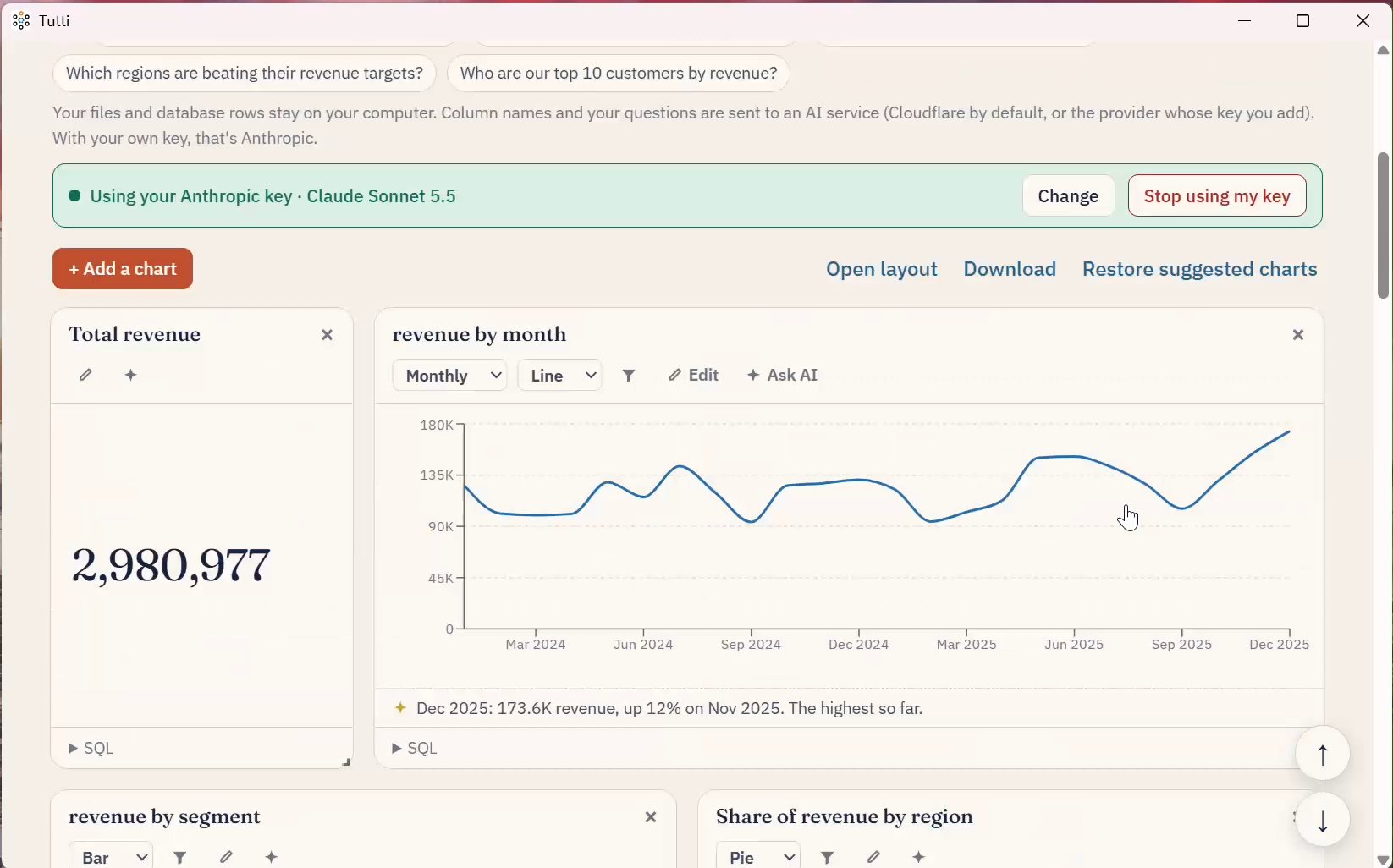
- Suggested charts, a chart builder that needs no AI, filters, and a short insight under each chart.
- Saves your dashboards and reopens them on your file's latest numbers.
- Your company's name and colours on your dashboards.
- An Excel report pack with each chart's figures, to send or keep.
- Tells you when a new version is out.
Coming soon: SQL Server, MySQL and PostgreSQL, and turning an Excel file into a SQLite database.
Your files and database rows stay on your computer. Column names and your questions are sent to an AI service (Cloudflare by default, or the provider whose key you add).
Desktop or browser?
Tutti for Windows
- Saves your dashboards and reopens them on today's numbers
- Excel, CSV and SQLite, with up to 20 sheets or tables
- Your own company name and look
Tutti in the browser
- Nothing to install: one file, one visit
- Excel and CSV, up to 3 sheets
- A dashboard you download, rather than one that's saved
If Windows shows "Windows protected your PC", click More info, then Run anyway.
If Windows blocks it with Smart App Control, it may install on a second try while Microsoft gets to know the file; signed releases are coming.
To check your download, run Get-FileHash Tutti-Setup-0.2.1.exe in PowerShell and compare it with the SHA-256 above. Installing a new version over an old one keeps your dashboards and settings.